


1.1.1.1 + WARP
Download 1.1.1.1 + WARP to secure your internet connection, speed up your mobile browsing, and bypass regional censorship with lightning-fast encryption on Android.

| Version | 6.38.6 |
|---|---|
| Size | 61.73 MB |
| Requires | Android 5.0 and up |
| Developer | Cloudflare, Inc. |
| Category | Tools |
| Package | com.cloudflare.onedotonedotonedotone |
| Updated | Oct 28, 2026 |
Browsing the open internet on your smartphone often feels like leaving your front door wide open for internet service providers, advertisers, and network snoops to track every move you make. On top of constant data tracking, slow connection speeds and annoying regional censorship can quickly ruin your daily streaming and gaming experience. Traditional virtual private networks often promise privacy, but they usually drag your connection speed down to a crawl. That is where 1.1.1.1 + WARP steps in, offering a revolutionary approach to mobile networking that secures your traffic while actually making your internet connection faster and more reliable.
What is 1.1.1.1 + WARP?
Developed by Cloudflare, one of the world's largest network infrastructure companies, 1.1.1.1 + WARP is an advanced internet optimization and privacy application built for mobile devices. At its core, the app replaces the default connection between your phone and the internet with a modernized, optimized protocol designed for high-speed data transmission.
While the standard 1.1.1.1 service acts as a lightning-fast secure DNS resolver, the integrated WARP technology takes things a major step further by encrypting all your device traffic. Instead of routing your data through traditional, congested VPN tunnels that introduce massive lag, WARP uses a custom-built protocol optimized over the WireGuard architecture. This means you get enterprise-grade security and absolute data privacy without sacrificing a single drop of your mobile internet speed.
Key Features
One-Touch Connection Interface
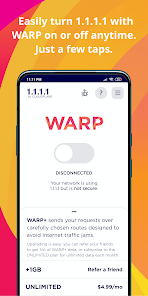
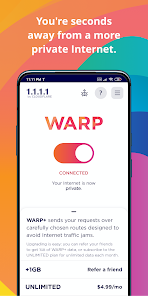
Simplicity is everything when it comes to everyday mobile apps. The application features a clean, minimalist user interface centered around a giant toggle switch that connects you to the secure network with just a single tap.
Next-Generation WARP Technology
Traditional virtual private networks can reduce your download speeds by up to fifty percent due to heavy cryptographic overhead. WARP utilizes modern protocol optimization to ensure your data flows smoothly, frequently boosting speed and reducing latency on mobile networks.
Enhanced Privacy Protection
Your internet service provider has a legal right to log, inspect, and monetize your web browsing habits in many regions. Cloudflare’s strict privacy commitment ensures that your DNS queries and browsing logs are never written to disk or sold to third-party advertisers.
Advanced Threat Defense
The application features built-in security filters that protect your device from malicious threats, phishing scams, malware distribution networks, and crypto-mining scripts while you surf public Wi-Fi networks.
Seamless Background Operation
Once activated, the service runs quietly in the background without draining your battery or interrupting your active apps. You can stream videos, play competitive games, and chat with friends with total peace of mind.
Exclusive Mod and Unlocked Features
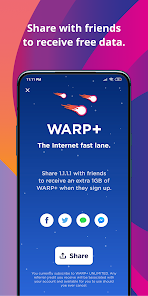
While the standard version of the app provides free, unlimited secure browsing, the premium tier known as WARP+ introduces optimized global routing paths that bypass internet traffic jams worldwide. In this specialized version, users gain full access to unlimited WARP+ data speeds without needing to invite friends or pay monthly subscription fees. You experience unthrottled bandwidth across all server nodes, ensuring peak performance whether you are downloading heavy files or watching high-definition streams on the go.
How to Download and Install on Android
Getting this powerful networking tool running on your Android smartphone or tablet is simple and straightforward:
Download the verified APK file from a trusted, secure source using the download link provided on this page.
Open your Android device Settings, navigate to Security or Privacy, and enable the toggle for Install from Unknown Sources.
Open your device File Manager or Downloads folder and tap on the downloaded APK file.
Select Install and wait a few moments for the setup wizard to complete.
Open the app, grant the system-level VPN connection permission when prompted, and tap the switch to activate protection.
System Requirements and Device Compatibility
To ensure seamless background operation and stable protocol encryption, your Android device should meet these minimum specifications:
Operating System: Android 5.0 (Lollipop) or higher.
RAM: Minimum 2GB RAM (3GB or higher recommended for uninterrupted background streaming).
Storage Space: At least 40MB of free internal space for application installation.
Connection: Active Wi-Fi, 4G LTE, or 5G mobile data connection.
Pros and Cons
Pros
Dramatically improves mobile privacy by encrypting all outgoing device traffic.
Speeds up web browsing and reduces latency using optimized routing protocols.
Features a clean, distraction-free interface with a simple one-tap activation switch.
Completely free to use with unlimited bandwidth caps.
Cons
Requires manual updates via APK files when new software patches are released.
May occasionally conflict with local corporate or school firewalls that block custom protocols.
Not an anonymous location-spoofing VPN, meaning it keeps your real virtual region unless configured otherwise.
Final Verdict
If you want a reliable way to protect your personal data from prying eyes without suffering through the sluggish speeds of traditional VPNs, this application is an essential download. 1.1.1.1 + WARP combines world-class infrastructure security with lightning-fast performance to revolutionize your mobile experience. Download the APK file today and experience a faster, safer internet.